
Softkeys Ninja1.0.97 - Get APK
You'll be able to download in few seconds.
Publisher Description
*** This app work with phone, it MAY NOT WORK WITH TABLET ***
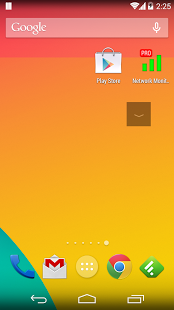
We watch video everyday. Some of video streaming apps is do not hide soft keys (home / back / recent apps key) during full screen video playback. It is very annoying and disturbing. The app add a "Down Button" for selected apps. Users can press this button to hide the soft keys, and enjoy truly full screen video playback.
The soft keys bar is also know as navigation bar.
★ Hide soft keys on demand anytime, anywhere (by pressing our floating "Down Button")
★ Move "Down Button" to your favorite location
★ Remember location for portrait and landscape mode
★ Customizable size and transparency
★ Display "Down Button" only for selected apps (floating on top of your screen)
★ Auto start on boot
★ Lock "Down Button" position
★ Ongoing hiding / fullscreen function *REQUIRE ROOT*
Update Log:
1.0.87 Fix for android 5
1.0.84 Xiaomi fix
1.0.83 Allow fully transparent down button
1.0.82 Fix for 4.4
1.0.80-81
* Enforce ACCESS_SUPERUSER permission
* Update Icons for higher resolutions
* Fix for edge not found problem
* Fix for Nexus 5
* Other minor bug fixes
1.0.76 Auto unlock for force-fullscreen function [Kitkat/ #screen lock: Slide or None] (require DISABLE_KEYGUARD permission)
1.0.75 (Rooted devices only feature)
* Ongoing hiding / fullscreen function (Require SET_WALLPAPER permission)
* Auto-fullscreen list
1.0.71 Bug fix
1.0.70 Notification fix (4.3+)
1.0.75 (Rooted devices only feature)
* Ongoing hiding / fullscreen function (Require SET_WALLPAPER permission)
1.0.70 Notification fix (4.3+)
1.0.69 Add +1 button
1.0.66 Widget bug fix
1.0.65 On / Off switch for displaying "Down Button"
Popular supported devices: Nexus 4, Nexus 5, Nexus 7, Nexus 10, LG G2, Xperia, etc.
About Softkeys Ninja
The company that develops Softkeys Ninja is KF Software House. The latest version released by its developer is 1.0.97.
To install Softkeys Ninja on your Android device, just click the green Continue To App button above to start the installation process. The app is listed on our website since 2016-09-11 and was downloaded 0 times. We have already checked if the download link is safe, however for your own protection we recommend that you scan the downloaded app with your antivirus. Your antivirus may detect the Softkeys Ninja as malware as malware if the download link to info.kfsoft.android.hideSoftkey is broken.
How to install Softkeys Ninja on your Android device:
- Click on the Continue To App button on our website. This will redirect you to Google Play.
- Once the Softkeys Ninja is shown in the Google Play listing of your Android device, you can start its download and installation. Tap on the Install button located below the search bar and to the right of the app icon.
- A pop-up window with the permissions required by Softkeys Ninja will be shown. Click on Accept to continue the process.
- Softkeys Ninja will be downloaded onto your device, displaying a progress. Once the download completes, the installation will start and you'll get a notification after the installation is finished.
Program Details
System requirements
Download information
Pricing
Version History
version 1.0.97
posted on 2016-09-11
*** Do not support android 6, 7 *** ,1.0.97 Bug fix,1.0.95 Stability fix for android 5.1.1,1.0.84 Xiaomi fix,1.0.83 Allow fully transparent down button,1.0.80-81,* Enforce ACCESS_SUPERUSER permission,* Update Icons for higher res,* Fix for edge not found problem,* Fix for Nexus 5,* Other minor bug fixes,1.0.76 Auto unlock for force-fullscreen function [Kitkat/ #screen lock: Slide or None] (DISABLE_KEYGUARD permission)
version 1.0.69
posted on 2013-05-09
Several fixes and updates
Disclaimer
External Download
We do not host Softkeys Ninja on our servers. We did not scan it for viruses, adware, spyware or other type of malware. This app is hosted by Galad and passed their terms and conditions to be listed there. We recommend caution when installing it.
The APK Download link for Softkeys Ninja is provided to you by apps112.com without any warranties, representations or guarantees of any kind, so access it at your own risk.
If you have questions regarding this particular app contact the publisher directly. For questions about the functionalities of apps112.com contact us.
